How we built a virtual office on Cloudflare Durable Objects
One Durable Object per office, WebSockets that hibernate, and calls that always go through a relay.
TinyFloor is a virtual office for small remote teams: a pixel-art floor in the browser where everyone has a desk and a status. You can see who's around, walk over to a teammate's desk and call them in one click, and meet in the meeting room down the hall. It's open source, and this post is about how the live part of it works.
One Cloudflare Durable Object per office
Every office is one Cloudflare Durable Object. Everyone on the floor holds a WebSocket to it, and it's the one place that knows where people are standing, what their status is, who sits at which desk and what's on the whiteboard.
A Durable Object fits this shape well. An office is small, from a handful of people to fifteen, everything in it has to happen in one order, and it needs a little state that survives restarts. There's no database round trip on the hot path: a move comes in, the room checks it and sends it to everyone else.
WebSocket hibernation: a room that sleeps between messages
The room is written so it can sleep between messages:
- No timers. Every message is handled and broadcast on the spot. Nothing runs on an interval inside the room.
- The heartbeat doesn't wake it. Clients ping regularly, and the runtime answers with
setWebSocketAutoResponsewithout waking the object. - State lives where hibernation can't lose it. What each connection needs (who it is, where they stand, their rate limits) is kept in the WebSocket attachment. What the office needs (desks, the whiteboard, usage) is in the Durable Object's own SQLite.
A floor of people sitting at their desks costs almost nothing, because a room that isn't receiving messages isn't running. A message wakes it for about a millisecond.
One detail that mattered: reading an attachment back from a socket costs a deserialize, and a broadcast reads every socket's. So the room keeps the current attachments in memory and only writes one back when something that has to survive hibernation changes.
Movement the server can check
Characters move on a tile grid. The client moves your character straight away and sends the move; the room checks that it's inside the map and within a rate limit of 12 moves a second. A move that fails gets a move_rejected with where you actually are, and the client snaps back. Everyone else only ever sees accepted moves.
Calls: WebRTC through a TURN server, every time
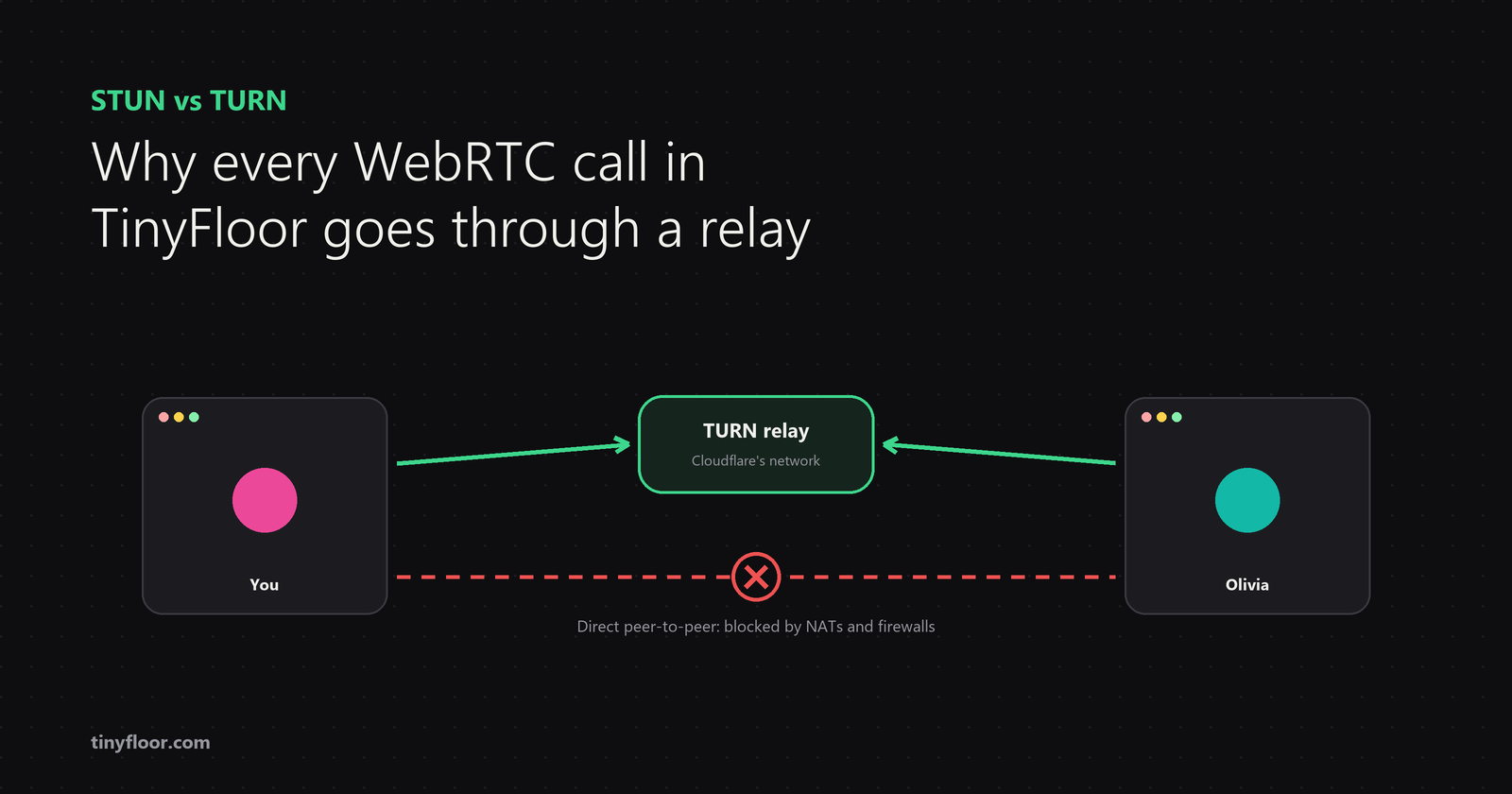
A call between two people is plain WebRTC. The room passes the handshake between the two browsers, and the API hands out short-lived credentials for Cloudflare's TURN server.
We started out letting browsers try a direct peer-to-peer connection first. In testing it almost never worked: firewalls, NATs and mobile networks meant the relay carried nearly every call anyway. So calls are relay-only (iceTransportPolicy: "relay"). One path, faster setup, and the same behaviour on every network.
Two more things made calls sound right:
- UDP first. Offered every relay address, Chrome often settled on TCP, where one late packet holds up all the ones behind it. We measured voice arriving up to a second late. Calls now offer only the relay's UDP addresses at first, and add TCP and TLS only if nothing connects after a few seconds.
- Voice sent twice. With redundant audio (RED), each voice packet carries the one before it, so a lost packet is still heard. In our tests the audible gaps went from 8 or 9 per half minute to 0 or 1, for about 30 kbps more.
Meetings: a WebRTC SFU on Cloudflare Realtime
Three or more people meet in the meeting room, which goes through the SFU in Cloudflare Realtime (formerly Cloudflare Calls) instead of a mesh: everyone sends their audio and video once, and the SFU forwards it. The room opens the SFU sessions on the server, so browsers never hold the app's credentials.
Each person only receives what's on their screen: the speaker in the big card, a few small ones beside it, and a shared screen. So the cost of a meeting grows with the number of people, not with people squared.
The stage switches to a new speaker only after the previous one has paused for 1.2 seconds and has been up for at least 2.5. Any faster and it flickers on every "mm-hm". Who's talking comes from each person's own microphone, sent as a short on/off message rather than a stream of audio levels.
Audio first
Video is the expensive part of a call, roughly five times the bytes of voice, and for a quick question voice is what people want anyway. So a call in TinyFloor starts with voice, the camera is a button, and it's off again at the next call. Echo cancellation and noise suppression run in the browser; no audio is ever processed on a server.
That default is a big part of why TinyFloor can charge one flat price for the whole office instead of a price per seat.
The rest of the stack
- Next.js for the app and the website, with Phaser drawing the floor
- Cloudflare Workers for the API, with Cloudflare D1 for accounts and offices
- Durable Objects for each office's live floor, chat and whiteboard
- Cloudflare Realtime (TURN and the SFU) for calls and meetings
- TypeScript throughout, with the messages between the browser and the room in one shared package
Try it, or read the code
You can walk around the demo office at tinyfloor.com without signing up, and the code is on GitHub under the AGPL-3.0. If you run a small remote team, it's free for up to 3 people.
Comments
Join the discussionNo comments yet. Be the first to comment.